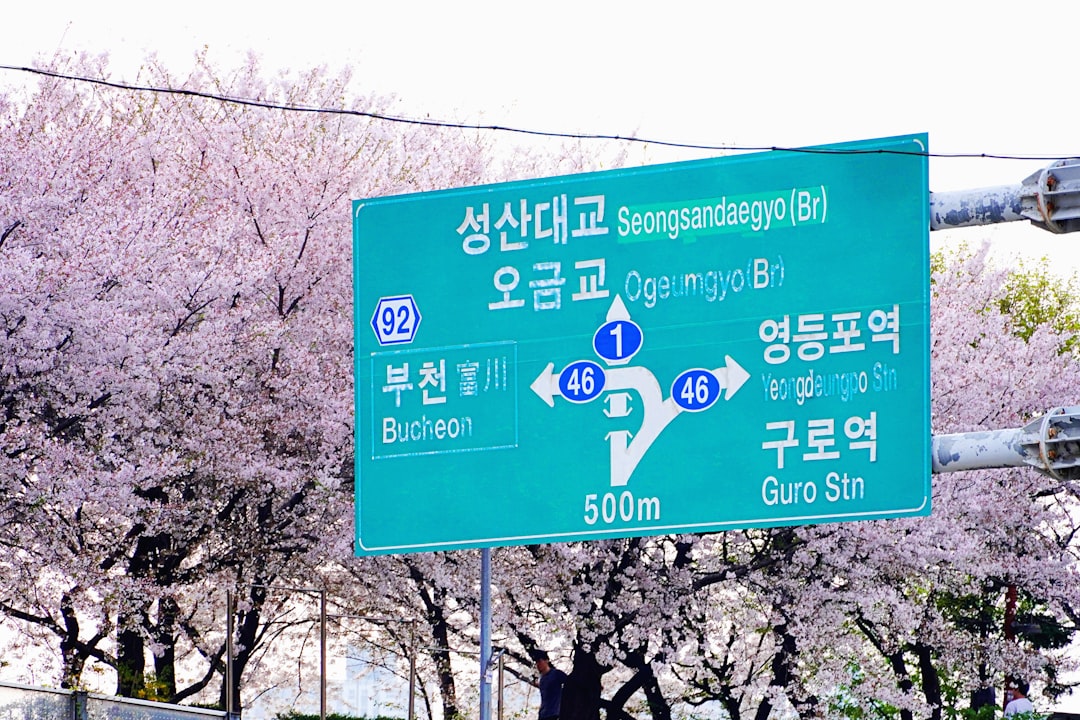
Why Getting Connected in Korea Is the Best Decision You’ll Make Before Landing
I still remember standing in the arrivals hall at Incheon International Airport after my first flight from LAX, jet-lagged and clutching a printed Google Maps screenshot like it was 2010. My hotel shuttle was supposedly “right outside,” but I had no idea which exit, no working phone, and zero way to translate the Korean signs around me. That fifteen-minute scramble taught me a lesson I’ve never forgotten: the best SIM card for your Korea trip in 2026 isn’t a nice-to-have — it’s the single most important thing you arrange before your plane touches down.
South Korea is one of the most digitally connected countries on the planet. Average mobile speeds regularly exceed 200 Mbps, free WiFi blankets subway stations and cafés, and practically every restaurant, transit system, and tourist attraction assumes you have a working smartphone. But here’s the catch: most of those incredible Korean apps — Naver Map for navigation, KakaoTalk for messaging, Papago for real-time translation — are almost useless without a data connection.
After dozens of trips and testing nearly every connectivity option available, I’ve put together this definitive guide to Korea SIM cards, eSIMs, pocket WiFi, and free hotspots for 2026. Whether you’re flying in from JFK for a week of K-Pop pilgrimages, arriving from SFO for a cherry blossom road trip, or backpacking on a shoestring budget, you’ll find exactly the right option below. Let’s get you connected.
Understanding Your Connectivity Options in South Korea

Before diving into specific products and providers, it helps to understand the four main ways tourists stay connected in Korea. Each has distinct advantages depending on your travel style, budget, group size, and how tech-savvy you feel.
Physical SIM Cards
A physical SIM card is the traditional option. You swap out your home SIM (or use a second SIM slot) and get a Korean phone number with a local data plan. Physical SIMs are ideal if you need to make or receive Korean phone calls — useful for restaurant reservations, hotel check-ins, and verifying Korean apps that require SMS authentication.
The three major Korean carriers — SK Telecom, KT (Korea Telecom), and LG U+ — all offer prepaid tourist SIM cards. SK Telecom has the largest network coverage (especially in rural and mountainous areas), KT offers aggressive tourist pricing, and LG U+ tends to have the lowest cost entry point. You can pick these up at the airport, convenience stores, or order them online for airport pickup.
eSIMs (Electronic SIMs)
If your phone supports eSIM (iPhone XS or newer, Samsung Galaxy S20 or newer, Google Pixel 3 or newer), this is increasingly the most convenient choice in 2026. You purchase a data plan online, scan a QR code, and your phone connects to a Korean network the moment you land — no physical card swapping, no airport kiosk lines, no tiny SIM ejector tool.
Popular eSIM providers for Korea include Airalo, Holafly, Ubigi, and KT’s own Roaming eSIM. Most offer data-only plans (no Korean phone number), which is perfectly fine for 90% of tourists since KakaoTalk handles all your messaging needs. Prices typically range from $5–$15 for a 7-day plan with 3–10 GB of data.
Portable WiFi Routers (Pocket WiFi)
A pocket WiFi device is a small, battery-powered router that creates a personal WiFi hotspot. This is the best option for groups and families because one device can connect 5–10 phones simultaneously. You rent the device at Incheon Airport and return it at departure — or have it delivered to your hotel.
The downside? You’re carrying an extra device that needs daily charging (most last 8–12 hours), and if you wander too far from the person holding it, you lose connection. Still, for families traveling together, the math is unbeatable: one pocket WiFi at $4–$8/day versus four individual SIM cards at $15–$25 each.
Free Public WiFi
South Korea’s government-sponsored “Korea Free WiFi” (previously called “Public WiFi Free”) network covers major tourist areas, subway stations, airports, and public buildings. In Seoul alone, there are over 40,000 free hotspots. You’ll also find free WiFi at every Starbucks, convenience store (CU, GS25, 7-Eleven), and most cafés.
However, relying solely on free WiFi is risky. Speeds can be slow during peak hours, connections drop frequently on the subway between stations, and you’ll be completely offline while walking between hotspots. I recommend free WiFi as a supplement, never as your primary connection.
Best SIM Card for Korea Trip 2026: Top Picks Compared
After hands-on testing during my most recent trip in early 2026, here are my top recommendations ranked by use case. I tested each option for speed, reliability, coverage outside Seoul, and ease of setup.
Best Overall: KT Tourist SIM (4G/5G)
KT’s prepaid tourist SIM remains my top pick for solo travelers and couples in 2026. Available at every Incheon Airport arrival gate counter (Terminal 1 and Terminal 2), it takes about five minutes to purchase and activate. You’ll need your passport — they register it on the spot.
KT offers several plans:
- 5-day unlimited data: approximately $25–$30 (₩33,000–₩40,000)
- 10-day unlimited data: approximately $35–$40 (₩47,000–₩53,000)
- 30-day unlimited data: approximately $45–$55 (₩60,000–₩73,000)
“Unlimited” does come with a fair-use policy — after about 3–5 GB per day, speeds may throttle to around 5 Mbps. In practice, I never noticed throttling during normal use (navigation, social media, translation, streaming music). KT’s coverage was excellent everywhere I tested, including Jeju Island, Busan’s coastal areas, and even rural temples in Gyeongju.
Best Budget Option: LG U+ Tourist SIM
LG U+ consistently undercuts the competition on price. Their 5-day plan runs about $18–$22, making it the best SIM card for Korea trip 2026 if you’re watching your budget. Coverage in Seoul, Busan, and other major cities is nearly identical to KT. The only place I noticed weaker signal was deep inside Seoraksan National Park — and even there, it worked fine on the main trails.
You can grab an LG U+ SIM at Incheon Airport or pre-order through sites like Klook and Trazy for a small discount (typically 10–15% off walk-up prices).
Best eSIM: Airalo “Discover+ Korea”
Airalo is the eSIM provider I recommend most often. Their Korea plans use KT or SK Telecom’s network (assigned automatically), setup takes under two minutes, and their app makes managing your data dead simple. Pricing in 2026:
- 1 GB / 7 days: $5
- 3 GB / 30 days: $11
- 5 GB / 30 days: $16
- 10 GB / 30 days: $26
- 20 GB / 30 days: $42
For a typical 7–10 day trip with regular use of Naver Map, Papago, KakaoTalk, and social media, 5 GB is the sweet spot. I used 4.2 GB during a packed 9-day trip that included daily navigation, hundreds of Papago translations, and uploading dozens of Instagram stories.
Best for Families: WiFi Router Rental
For groups of 3 or more, a pocket WiFi router from WiFi Dosirak or KT Roaming is the most cost-effective choice. Typical pricing:
| Provider | Daily Rate | Data Limit | Battery Life | Max Devices |
|---|---|---|---|---|
| WiFi Dosirak | $4–$6/day | Unlimited (throttle at 10 GB/day) | 10–12 hours | 10 |
| KT WiFi Router | $6–$8/day | Unlimited (throttle at 15 GB/day) | 8–10 hours | 5 |
| SK Telecom Pocket WiFi | $7–$9/day | Truly unlimited (no throttle) | 8–10 hours | 10 |
Book through Klook or the provider’s website at least 2–3 days before arrival. Pick up and return at the Incheon Airport counters — they’re open from the first arrival to the last flight, roughly 5:00 AM to midnight daily.
How to Buy and Activate Your Korea SIM Card

The process is straightforward, but knowing exactly what to expect saves you time when you’re exhausted from a 13-hour flight from JFK or an 11-hour hop from LAX.
At Incheon International Airport (ICN)
Incheon Airport is where 95% of international visitors get their SIM cards, and the setup couldn’t be easier. After clearing immigration and collecting your bags, look for the telecom counters in the arrivals hall:
- Terminal 1: KT, SK Telecom, and LG U+ counters are on the 1st floor (Arrivals), between Gates 5 and 10. Hours: approximately 6:00 AM–10:00 PM, though some counters operate 24/7.
- Terminal 2: Counters are on the 1st floor near Gate 4. Same operating hours.
- Hand over your passport. Korean law requires ID registration for all SIM activations — this is standard, not unusual.
- The staff will insert the SIM, configure your APN settings, and test the connection. The entire process takes 5–10 minutes.
- You’ll receive a receipt with your temporary Korean phone number and plan details. Save this — you may need the number for hotel check-in or app verification.
Pro tip: If your flight lands late (after 10:00 PM), some counters may be closed. In that case, grab a SIM from the CU or GS25 convenience stores inside the airport — they stock prepaid tourist SIMs from all three carriers, usually priced $2–$5 higher than the official counters.
Pre-Order Online for Airport Pickup
Want to skip even that short line? Pre-ordering through Klook, Trazy, or KKday lets you reserve your SIM online (often at a 10–20% discount) and pick it up at a dedicated counter. You’ll receive a voucher via email — just show it along with your passport. I’ve used this method on my last three trips and it shaves the process down to about two minutes.
eSIM Activation (Before You Fly)
For eSIM users, I recommend setting up your eSIM before you leave home. Here’s why: if something goes wrong with the QR code or your phone’s compatibility, you have time to troubleshoot with WiFi access. The steps:
- Purchase your eSIM plan on Airalo, Holafly, or your chosen provider’s app.
- Scan the QR code to install the eSIM profile. Do NOT activate it yet.
- Once you land in Korea, go to Settings → Cellular/Mobile → select your new eSIM line → toggle it on.
- Within 30 seconds to 2 minutes, you should see a Korean carrier name appear in your status bar.
Keep your home SIM active as well (in a dual-SIM setup) so you can still receive important texts — just make sure mobile data is set to use your Korean eSIM, not your home carrier, to avoid surprise roaming charges.
Getting There: From Incheon Airport to Seoul (With Your New Connection)
Now that you’re connected, let’s talk about getting from the airport to your accommodation — because this is the first real test of your new SIM card.
AREX (Airport Railroad Express)
The AREX express train runs from Incheon Airport to Seoul Station in just 43 minutes. One-way tickets cost about $8 (₩11,000). Open Naver Map on your newly connected phone, search “서울역” (Seoul Station), and it’ll show you real-time AREX schedules, platform numbers, and even which exit to take at Seoul Station for your subway transfer.
Load your T-money card (available at airport convenience stores for about $3) with ₩20,000–₩30,000 ($15–$22) to cover a few days of subway and bus rides. T-money works on all Seoul public transit, most taxis, and even some convenience stores. Korean Street Food Markets by City: 2026 Ultimate Guide
Airport Limousine Bus
Airport limousine buses go directly to major hotel districts (Myeongdong, Gangnam, Hongdae, Itaewon) for about $10–$17 depending on the route. With your working data connection, use Naver Map to find which bus number goes to your hotel and track it in real-time.
KTX to Other Cities
If you’re heading straight to Busan, Gyeongju, or Jeonju, you can take the KTX high-speed train from Seoul Station or directly from the airport station. Book tickets on the KORAIL app (requires a working data connection to browse schedules and purchase). Seoul to Busan takes about 2.5 hours and costs $45–$60 depending on class. Having mobile data to book KTX tickets on the fly is genuinely life-changing — no more guessing at station kiosk menus in Korean.
Korea Autumn Foliage Best Time 2026: Top 7 Spots
Essential Korean Apps You’ll Need Data For

Here’s why the best SIM card for your Korea trip in 2026 is essentially non-negotiable: these apps make or break your experience, and they all need data.
Naver Map (Navigation)
Forget Google Maps in Korea. It works for basic searches, but transit directions are incomplete and walking routes are often wrong. Naver Map is the gold standard — it shows real-time bus arrivals, optimal subway transfer routes, walking paths through underground shopping malls, and even indoor navigation for large buildings. Download it before your trip and switch the interface language to English.
Papago (Translation)
Naver’s Papago translator is significantly better than Google Translate for Korean. It handles honorifics, slang, and context far more accurately. The camera translation feature is invaluable for reading restaurant menus — just point your phone at the Korean text and it overlays English translations in real-time. This single feature probably saved me 50 awkward pointing-at-the-menu moments on my last trip.
KakaoTalk (Messaging)
KakaoTalk is Korea’s WhatsApp — used by 97% of the population. Hotels, tour operators, and even some restaurants communicate via KakaoTalk. Create an account before your trip. If you have a Korean phone number from your SIM card, you can verify your account and access the full ecosystem including KakaoPay (mobile payments) and Kakao T (taxi hailing, similar to Uber).
Other Must-Have Apps
- KORAIL: Book KTX and regional train tickets
- Subway Korea: Offline subway maps (useful as backup)
- MangoPlate / Naver Restaurant: Korea’s Yelp equivalents with reliable reviews
- Coupang: Korea’s Amazon — same-day delivery for forgotten chargers, adapters, toiletries
Best Korean Ramyeon Flavors Ranked 2026: Top 15
Budget Breakdown: What Connectivity Really Costs
Let’s run the numbers for a typical 10-day Korea trip so you can factor connectivity into your overall budget.
| Option | 10-Day Cost (Solo) | 10-Day Cost (Family of 4) | Includes Phone Number? | Setup Difficulty |
|---|---|---|---|---|
| KT Physical SIM (Unlimited) | $35–$40 | $140–$160 | Yes | Easy (airport counter) |
| LG U+ Physical SIM | $28–$35 | $112–$140 | Yes | Easy |
| Airalo eSIM (5 GB) | $16 | $64 | No | Very Easy (app) |
| Pocket WiFi (WiFi Dosirak) | $40–$60 | $40–$60 (shared) | No | Easy (airport pickup) |
| Free WiFi Only | $0 | $0 | No | N/A (unreliable) |
My recommendation by traveler type:
- Solo traveler on a budget: Airalo eSIM 5 GB ($16) — unbeatable value
- Solo traveler wanting full features: KT Tourist SIM ($35–$40) — Korean phone number is worth the premium
- Couple: Two Airalo eSIMs ($32 total) or one pocket WiFi ($40–$60 total)
- Family of 3–5: Pocket WiFi, hands down ($40–$60 for everyone)
- Business traveler: SK Telecom SIM with 5G ($40–$50) — fastest speeds, best coverage
For context, connectivity is one of the smallest expenses on a Korea trip. Compare it to flights ($600–$1,200 roundtrip from major US cities), accommodation ($50–$200/night), and food ($15–$50/day). Spending $20–$40 on reliable data is easily the highest-ROI travel purchase you’ll make. Authentic Kimchi Recipe From Scratch: Step-by-Step Guide 2026
Cultural Etiquette and Phone Manners in Korea

Koreans are some of the most tech-savvy people in the world, but there are a few cultural norms around phone usage that will help you blend in and show respect.
On Public Transit
Keep your phone on silent on the subway and bus. You’ll notice that Korean commuters almost never take phone calls on public transit — it’s considered extremely rude. If you must take a call, speak quietly and briefly, or text back saying you’ll call later. Watching videos without headphones is a major faux pas. Koreans will give you polite but unmistakable disapproving looks.
In Restaurants and Temples
Food photography is totally fine in most Korean restaurants — they expect it. However, at traditional temples and cultural sites, ask before taking photos of people, ceremonies, or restricted areas. Many temple stay programs ask visitors to minimize phone use entirely as part of the mindfulness experience.
WiFi Café Culture
Korea’s café culture is legendary, and it’s perfectly acceptable to camp out in a café with your laptop or phone for hours. Most cafés have WiFi passwords on the receipt or posted at the counter. The unspoken rule: order at least one drink per 1–2 hours if you’re using the space. Cafés in university areas (Hongdae, Sinchon, Gangnam) are especially accommodating to long stays.
K-Pop Idols’ Best K-Drama Roles You Must Watch in 2026
Insider Tips From a Frequent Korea Visitor
After years of testing every connectivity method in Korea, here are the tips I wish someone had told me on my very first trip:
- Buy your eSIM or pre-order your SIM before you fly. You’ll want data the second you land — for immigration forms (K-ETA verification), finding your transport, and messaging your hotel. US citizens can enter Korea visa-free for up to 90 days with a K-ETA (Korea Electronic Travel Authorization), which costs about $10 and should be applied for at least 72 hours before departure. Having your K-ETA confirmation on your phone requires data or a screenshot.
- Carry a portable battery pack. Navigation and translation apps drain your battery fast. A 10,000 mAh power bank will keep you going all day. Korea has abundant convenience stores selling charging cables if you forget one — expect to pay about $5–$8.
- Set up Papago’s offline Korean language pack before your trip. Even with the best SIM card for your Korea trip in 2026, there are occasional dead zones in mountain hiking areas and deep subway tunnels. Having offline translation as a backup is invaluable.
- Use Naver Map’s “save offline” feature for the neighborhoods you’re visiting. It doesn’t cover all of Korea, but major cities are available and it’s a reliable backup.
- Check your phone’s band compatibility. Korea primarily uses LTE bands 3, 5, 7, and 8, and 5G on n78. Most phones sold in the US (iPhones, Samsung Galaxy, Google Pixel) support all of these, but some budget Android phones from overseas may not. Check your phone’s specs at willmyphonework.net before purchasing a SIM.
- Don’t overlook the T-money card + phone combo. If you have an NFC-enabled phone and a Korean SIM, you can load a virtual T-money card on Samsung Pay or use Apple Pay’s transit feature in Korea (added in late 2024). Tap your phone instead of a physical card on subway gates and buses.
- For cherry blossom season (late March–mid April) and autumn foliage (mid October–November), pre-book everything. These are peak tourist seasons, and airport SIM counters get long lines. Pre-ordering your SIM or using an eSIM avoids the 30–45 minute waits common during these periods. The same goes for ski season (December–February) — Korea’s resorts like Pyeongchang and Yongpyong draw massive crowds.
Korea Tourism Organization Travel Info
Troubleshooting Common Connectivity Issues
SIM Card Not Working After Installation
If your physical SIM doesn’t connect immediately, try these steps: restart your phone, manually select the carrier in Settings → Cellular → Network Selection, and make sure airplane mode is off. If it still doesn’t work, check that your phone is unlocked. Carrier-locked phones (common with older AT&T or Verizon contracts) won’t accept foreign SIMs. You can request an unlock from your US carrier before traveling — most do it free if your phone is paid off.
eSIM Not Activating
The most common eSIM issue is scanning the QR code over WiFi and then forgetting to enable the eSIM data line after landing. Go to Settings → Cellular → select the Korean eSIM → turn on “Turn On This Line” and “Data Roaming.” Yes, data roaming needs to be on even though you’re using a local eSIM — it’s a quirk of how eSIM profiles are configured.
Slow Speeds in Crowded Areas
During major events — think KCON, Chuseok holiday, or BTS-related gatherings — network congestion can slow speeds dramatically. If you’re experiencing sluggish data in Myeongdong, Hongdae, or concert venues, try toggling between 4G and 5G in your settings. Sometimes the 4G network is less congested than 5G in dense areas.
7 Iconic K-Pop Choreographies You Must Learn in 2026
Frequently Asked Questions
Can I use my US phone plan’s international roaming in Korea instead of buying a local SIM?
You can, but I wouldn’t recommend it for most travelers. T-Mobile’s international roaming includes free 2G-speed data (painfully slow for navigation) and $5/day for high-speed passes. AT&T International Day Pass is $12/day. Verizon TravelPass is $10/day. For a 10-day trip, that’s $50–$120 — significantly more expensive than a $16 Airalo eSIM or a $35 KT tourist SIM that gives you faster speeds on a local network. The only scenario where roaming makes sense is a very short business trip (1–2 days) where simplicity outweighs cost.
Do I need a VPN in South Korea?
South Korea doesn’t censor the internet the way China does. Google, YouTube, Instagram, Facebook, X (Twitter), and all major Western services work perfectly. You don’t need a VPN for access reasons. However, if you want to stream US-only Netflix or Hulu content, you’ll need a VPN set to a US server. Some travelers also prefer a VPN on public WiFi networks for security — this is a smart practice anywhere in the world.
How much data do I actually need for a week in Korea?
For a typical tourist using Naver Map navigation, Papago translation, KakaoTalk messaging, social media browsing, and occasional video streaming, expect to use 500 MB–1 GB per day. That means 3.5–7 GB for a week. I recommend a 5 GB plan as the sweet spot, or unlimited if you plan to stream videos or do video calls. Heavy social media posters uploading lots of Stories and Reels should budget 1.5–2 GB per day.
Can I keep my Korean SIM card and reuse it on my next trip?
Physical prepaid SIMs expire after their plan period ends, and the Korean phone number is deactivated. You cannot reuse a physical tourist SIM on a return trip. However, eSIM profiles can sometimes be repurchased and reactivated on the same device — check with your eSIM provider. Airalo allows you to buy a new plan for the same destination and it often reuses the existing profile.
What if my phone doesn’t support eSIM and I don’t want to swap my physical SIM?
Great question — this is more common than you’d think. Your best options are: (1) rent a pocket WiFi router so your phone stays untouched, (2) buy a cheap SIM adapter with a dual-SIM tray if your phone supports it, or (3) pick up an inexpensive unlocked phone in Korea. Electronics markets like Yongsan (Seoul) sell refurbished smartphones for $50–$100 that you can use as a dedicated Korea phone.
Is 5G worth paying extra for in Korea?
Korea’s 5G network is genuinely impressive in major cities — speeds routinely hit 500 Mbps–1 Gbps in Seoul and Busan. But for tourist use cases (navigation, translation, social media), you won’t notice a practical difference between 4G LTE and 5G. LTE speeds of 50–150 Mbps handle everything a traveler needs. Save your money unless you’re a content creator uploading high-resolution video on the go.
Related Posts
Planning more of your Korea adventure? Check out these guides:
- Korean Street Food Markets by City: 2026 Ultimate Guide
- Korea Autumn Foliage Best Time 2026: Top 7 Spots
- Best Korean Ramyeon Flavors Ranked 2026: Top 15
Suggested future articles:
- How to Use T-Money Card in Korea: Complete 2026 Guide
- Best Korea Travel Apps 2026: 15 Must-Download Before Your Trip
- Incheon Airport Complete Guide 2026: Terminals, Transit Hotels, and Tips
Visit Korea Official Tourism Site | VisitSeoul Official Guide
Your Turn: Share Your Korea Connectivity Experience
Finding the best SIM card for your Korea trip in 2026 doesn’t have to be stressful. Whether you go with a classic KT tourist SIM, a budget-friendly Airalo eSIM, or a family-friendly pocket WiFi, the most important thing is to get connected before you leave the airport. Korea is simply too app-dependent and too digitally amazing to experience offline.
I’d love to hear from you. Which connectivity option are you leaning toward? Have you tried a Korea SIM or eSIM on a previous trip? Did you discover a provider or trick that I didn’t cover? Drop your questions and experiences in the comments below — I read and respond to every single one.
If this guide helped you plan your Korea trip, share it with a friend who’s also heading to Korea this year. And make sure to bookmark this page — I update it every season with the latest pricing, new eSIM providers, and any changes to carrier plans.
Safe travels, and enjoy every connected moment in Korea! 🇰🇷